
“This app fixed one of my biggest group chat annoyances: the hilarious voice note that’s buried under 500 messages a week later. You save them into folders that make sense, then send them straight back whenever the moment calls for it. I’ve even got little voice notes from my mum saved in there, so I can replay them whenever. 5 stars, the group chat needed this!!”
The voice notes you never want to lose deserve a home.
Find them in seconds. Send them right back. Your favorite voice notes, finally somewhere safe.
Backed up on iCloud
Search words in recordings
Organize into folders
Resend directly in iMessage
Copy and translate transcripts
Multi-select and share recordings
+ more
 Download on the App Store
Free to download
Download on the App Store
Free to download
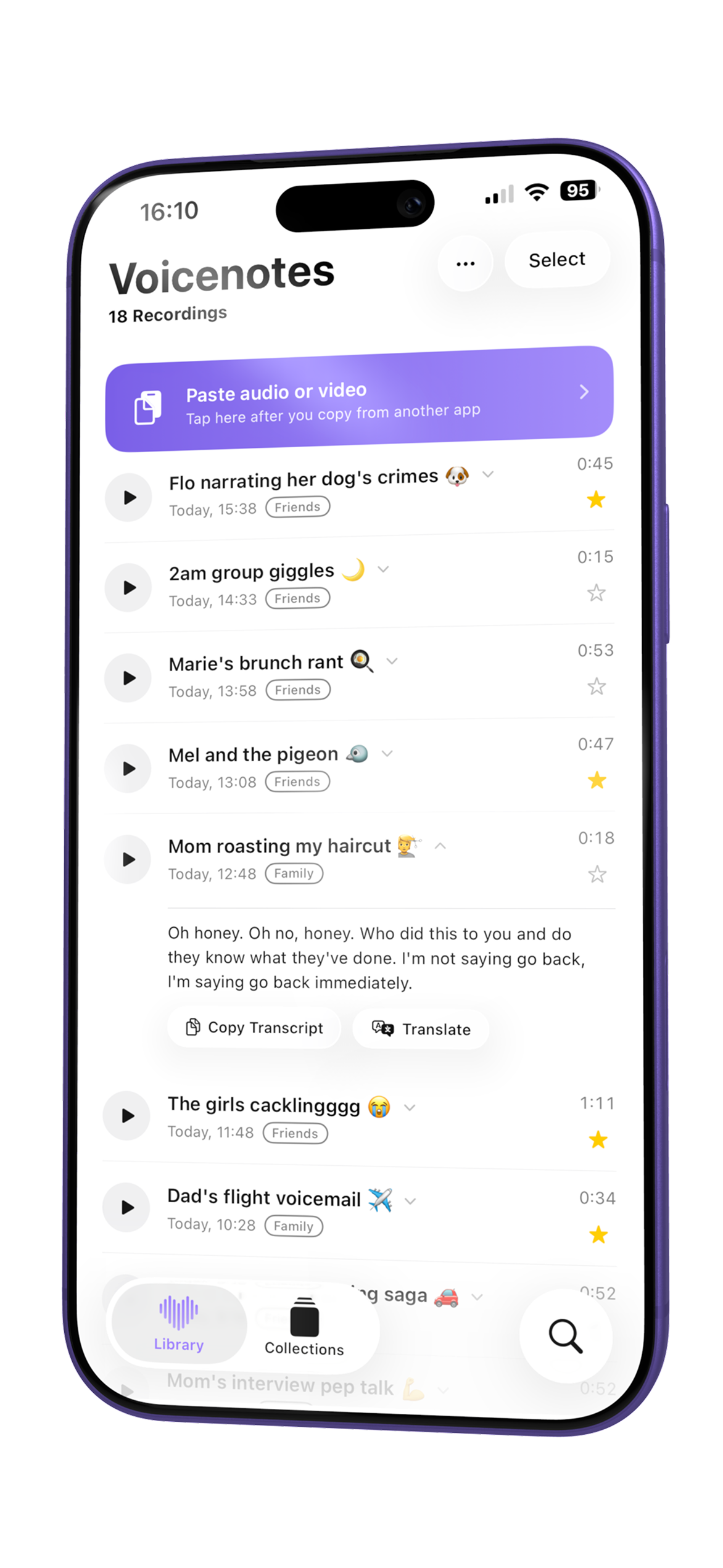
You know those voice notes that…
…made you laugh, cry, or miss the people you love. The laugh that caught you off guard. The message that made you cry. The “I love you” you never want to lose.
Save the ones that matter, then send them again, instantly, to anyone, from anywhere.

If you can copy it, you can keep it.
Import voice notes straight out of Messages and WhatsApp, or upload existing audio and video files. Voicenote Library keeps just the sound. One library, no more scrolling through chat history to find a voice note you sent yourself weeks ago.
Messages
WhatsApp
Voice Memos
Video files
+ more
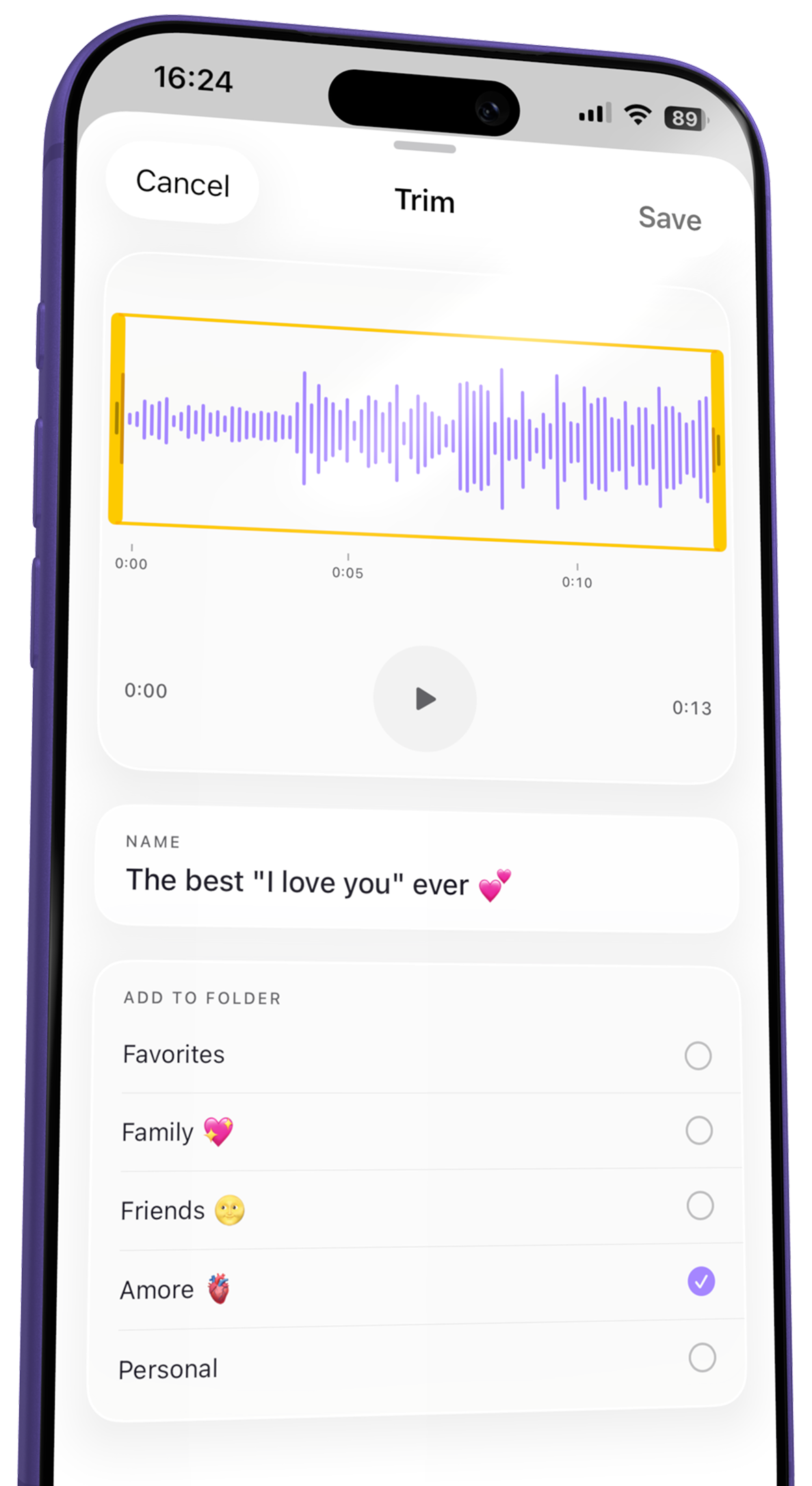
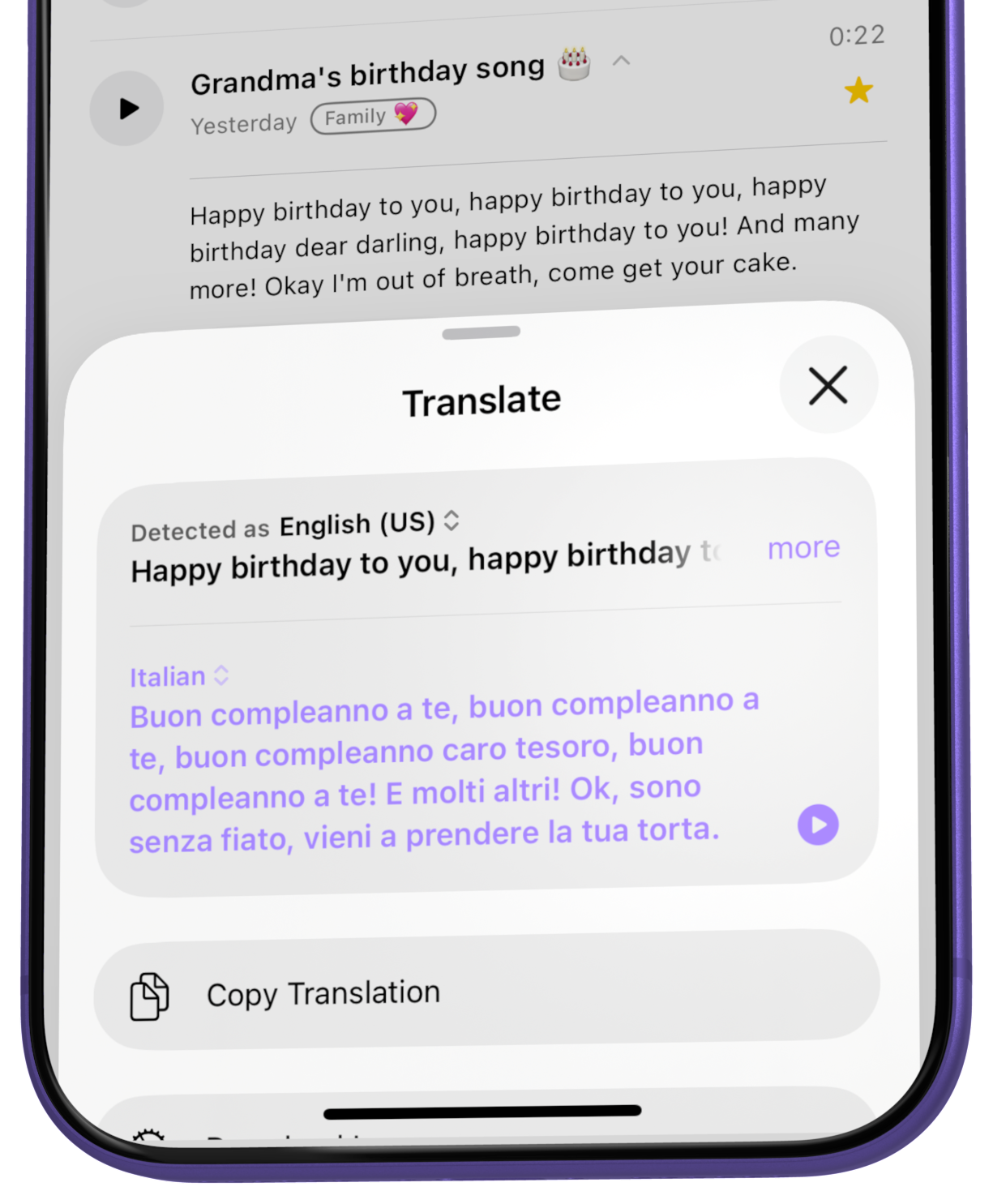
Every word, any language.
One tap turns any transcript into Italian, Spanish, or whatever they actually speak.
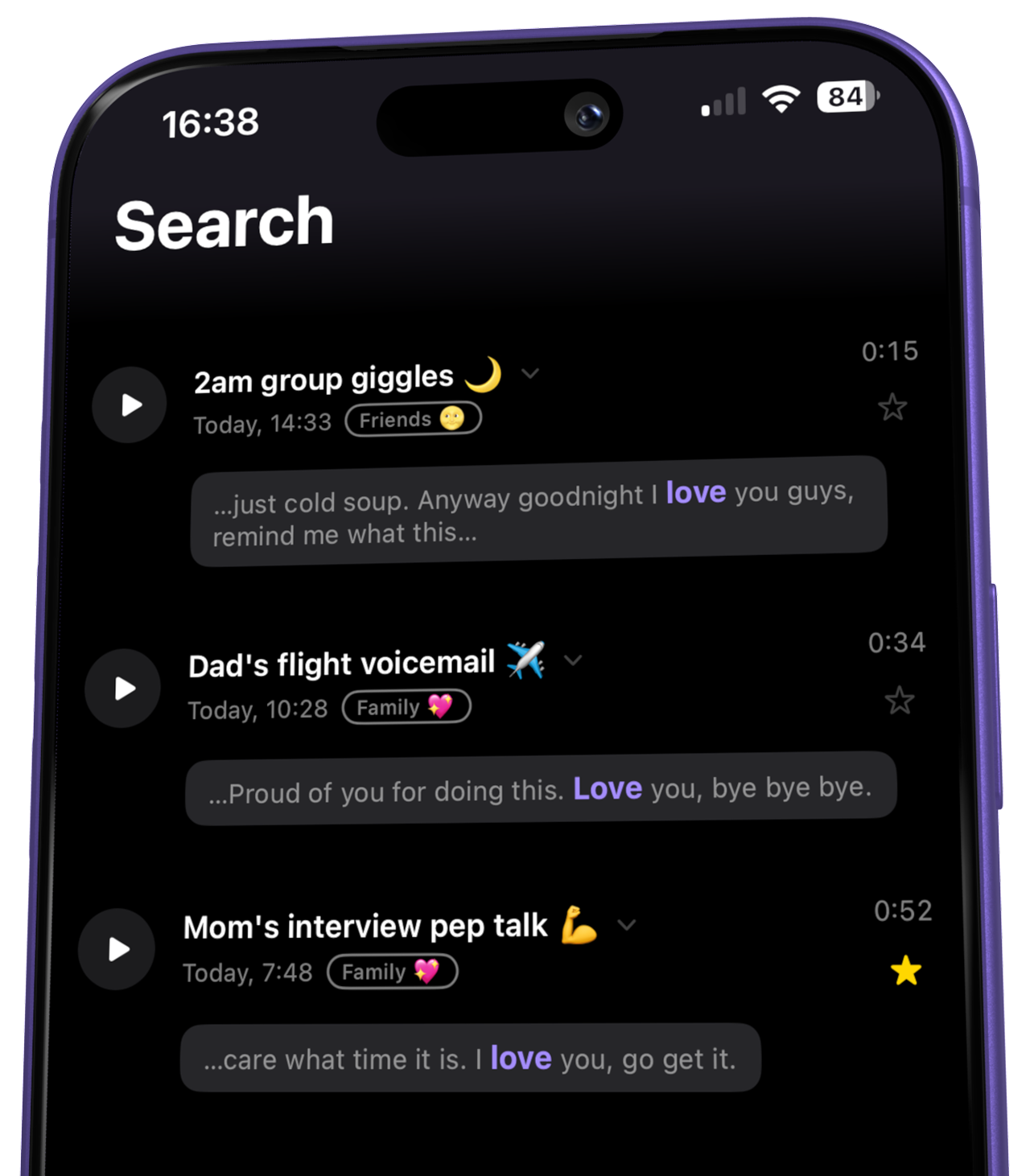
Search everything.
Every recording is transcribed automatically, so you can search full transcripts, not just filenames.
Find it in seconds. Send it right back.
Someone asks for “that one with the cackling”? Filter by folder, tap send, all without leaving iMessage. iCloud sync keeps every saved note current on every device you own.
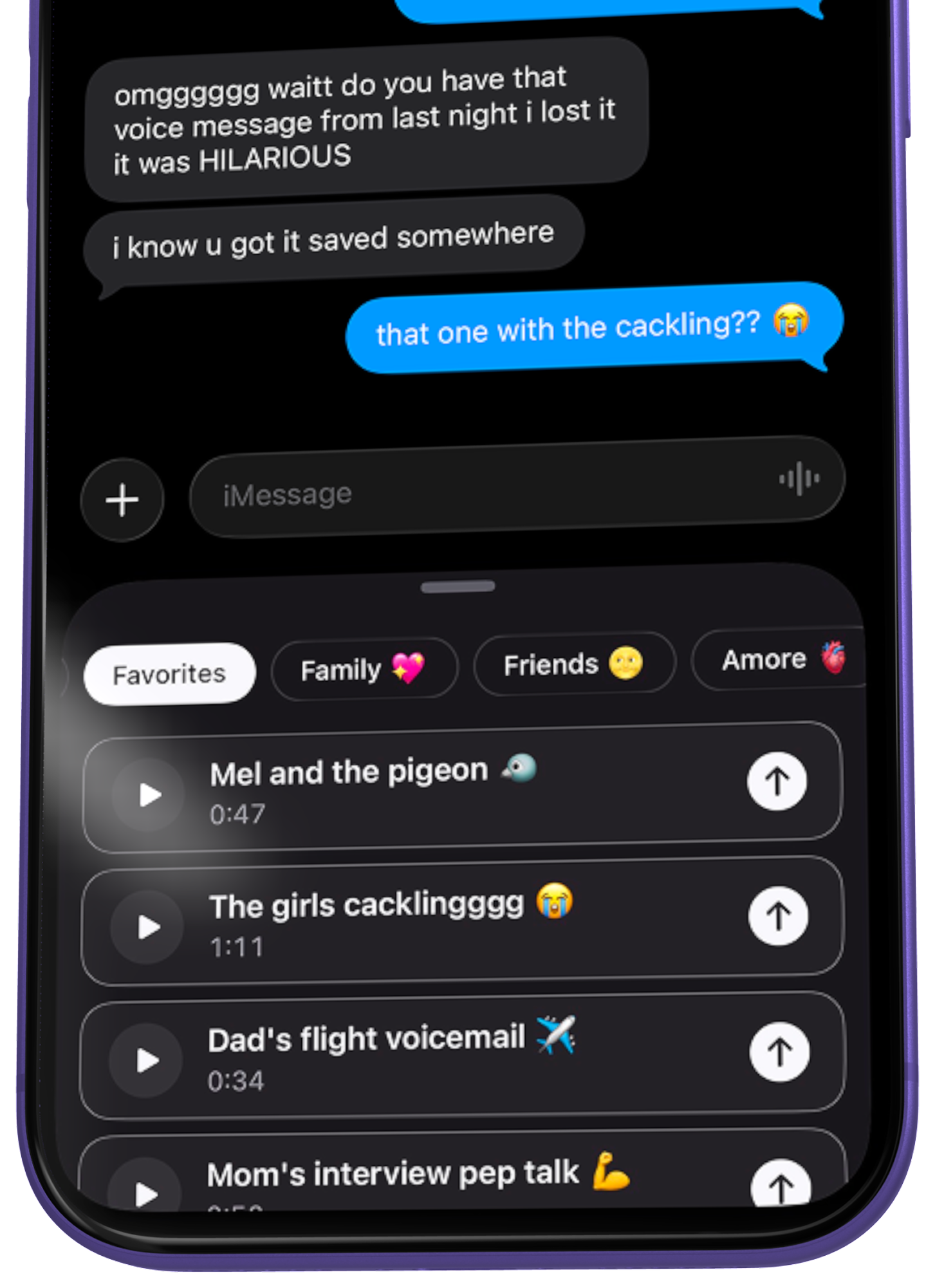
Voice notes that mattered, kept for good.
Genuinely useful app
“I discovered this quite recently and am really enjoying using it. It makes saving, organising and managing voice notes, memos, and any type of audio recording a breeze. Its strength is its simplicity. You can even edit your clips and send them directly from the library. Great job! Hats off to the developer.”
LOVE THIS
“I didn’t realise how much I needed this in my life. So many of the funniest, sweetest and most meaningful moments live in voice notes and then just disappear into years of messages. Such a simple but brilliant idea, beautifully designed, and it immediately makes you wonder why this didn’t exist already.” 💜
Finally !!!
“So glad we finally have an app that saves your voice notes. I find iMessage so bad for voice notes and WhatsApp doesn’t have a way to catalog them. I’m so happy this exists!!”
10/10 no notes
“I’ve tried a bunch of voice note apps and always end up with a mess of files I can never find again, or notes that vanish after an update. This app actually solved that. Everything gets saved properly and stays there. Sharing straight to iMessage takes seconds and is so seamless! Love it!!”
Centralised library for our memories!!
“What an amazing app, so easy to use and navigate. I find it super helpful not having to scroll through thousands of messages just to find the voicenote I want to share. Bestie catch ups streamlined 🚀”
A new, elevated look. Built native for iOS.
Redesigned for V3
A new, elevated look built native for iOS, from the library down to every screen.
Screen-off playback
Keep listening with the screen off, or right from the lock screen.
Expanded accessibility
Bigger text, VoiceOver and more, expanded across the whole app.
Import video, keep audio
Import a video and the app saves just the audio automatically.
Search everything
Transcripts, folders and names, all searchable in one go.
Translate transcripts
Translate any transcript into another language, right in the app.
Before you ask.
How do I save a voice note from WhatsApp?
In WhatsApp, press and hold the voice note, tap Forward, then tap Copy in the share sheet that appears. Open Voicenote Library and tap the “Paste audio or video” banner at the top of your library. It saves instantly, transcribes automatically, and stays in your library even if the original WhatsApp message is deleted.
Can I save voice memos from iMessage?
Yes. Voicenote Library has a built-in iMessage extension, so you can save a voice message straight from a conversation without leaving Messages. One thing worth knowing: iMessage deletes voice messages after 2 minutes unless you tapped Keep, or turned off expiration in Settings > Apps > Messages > Audio Messages > Expire. Save the ones you want before they vanish.
Does this work with every messaging app?
Most of them. Voicenote Library can save from iMessage, WhatsApp, Telegram, Signal, LINE, Viber, Slack, Skype, Voice Memos, and the Files app. A handful of apps, including Instagram, Messenger, Snapchat, Discord, X, and WeChat, block voice messages from ever leaving the app, so no app, including this one, can save from them.
Does it transcribe voice messages automatically?
Every recording you save is transcribed automatically, entirely on your device, so the audio never leaves your phone. You can read the full transcript, copy it, and search across every transcript in your library, not just filenames.
Can I translate a voice note into another language?
Yes. Open any transcript and translate it into another language right in the app, in one tap. The first time you translate into a new language it may take a moment to download that language, after that it’s instant.
Will my recordings sync across my devices?
Yes, Voicenote Library uses iCloud sync, so every saved recording, folder, and transcript follows you to your other Apple devices.
Is Voicenote Library free?
It’s free to download and use, and your first 20 saved recordings are free forever. Save more than that, and a one-time purchase unlocks unlimited recordings, no subscription.
How is this different from Apple’s Voice Memos app?
Voice Memos only records new audio and offers basic folders. Voicenote Library imports voice notes you already have, straight from iMessage with a built-in extension, or from WhatsApp, Telegram, Signal, Slack, and most other apps that let you copy audio out, and adds automatic on-device transcription, translation, tags, and full-text search on top.
Start your library.
Free to download. Your voice notes, finally saved and organized in one safe place.
Download on the App Store